
Loading…
Dambel has a built-in AI assistant that understands what you're doing in the app and can actually help — not just answer generic questions.
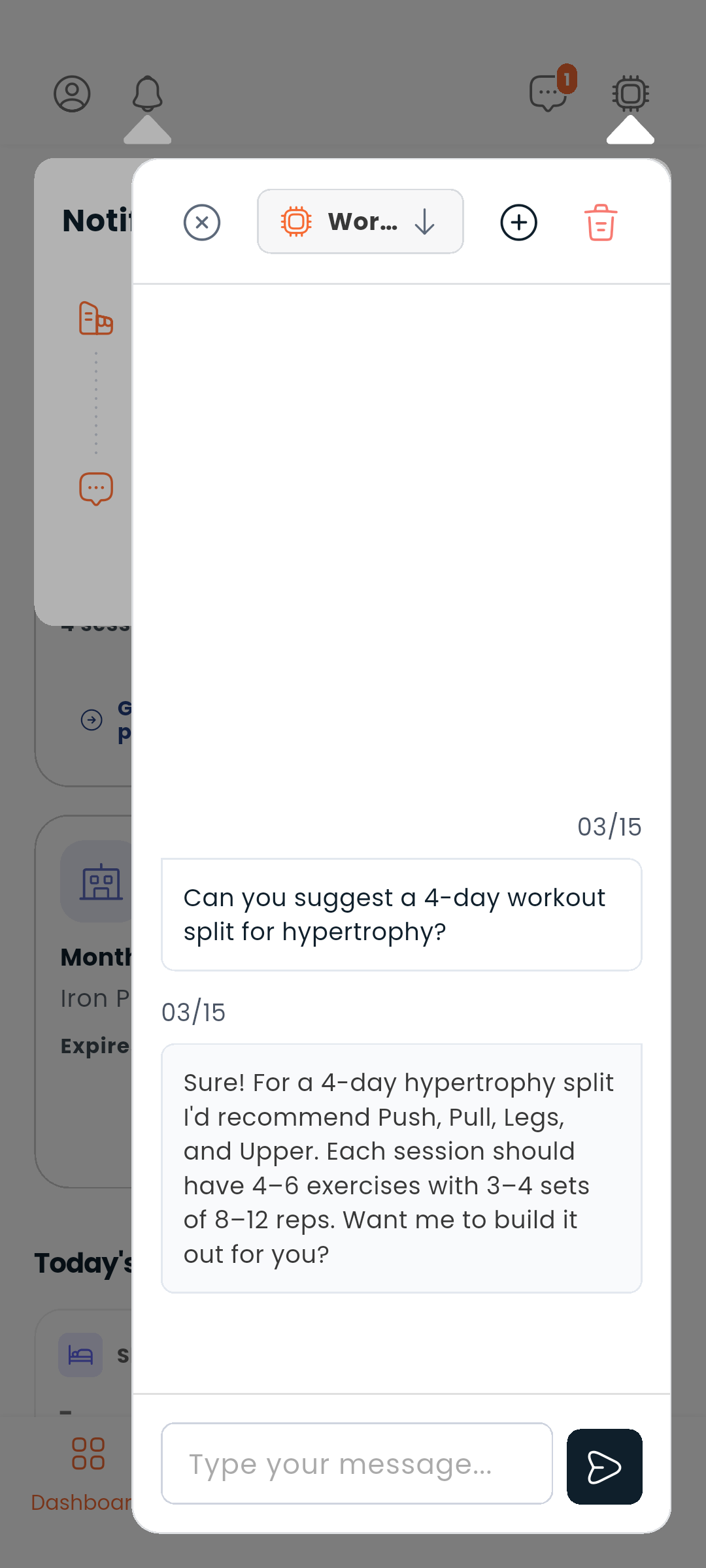
Look for the sparkle icon (✦) in the top bar. Tap it to open a chat panel with the assistant.
On a phone the panel covers the screen; on a wide screen it docks beside what you were reading, so you can keep both in view.
The assistant is context-aware. When you open it on the workout plan screen, it knows you're working on a workout plan. When you're in the diet plan form, it knows your current nutritional goals. This means you can ask things like:
The assistant can do real work while you watch. As it looks something up, searches the web, or remembers a detail about you, you'll see a live status line — "Reading data…", "Searching the web…", "Saving a memory…" — so you always know what it's doing.
For anything sensitive — creating or changing a plan, forgetting something it remembered about you — it asks first. The prompt tells you exactly what it wants to do: the action's name and all the data it is about to use, so you can check the details before deciding. Tap Show all details to see the full data. Nothing happens until you choose Allow or Deny.
If you trust an action and don't want to be asked every time, tap Always allow this action. From then on the assistant runs that particular action straight away — other actions still ask. This choice is remembered on your device only, and you can undo it at any time from Settings → AI assistant permissions.
The assistant reads what's on your screen to give better answers, but it never changes your screen or submits forms for you.
An answer that is taking too long is not something you have to sit through. Stop ends the wait and gives you the panel back. If the assistant is still working after five minutes it stops on its own and says so, rather than spinning indefinitely.
A message that failed to send stays where you typed it, with Send again — you never have to retype it.
There is a cap on how much you can ask for in a stretch. Reaching it is not an error: the assistant says you've reached the limit for now, and that going Premium raises it. Waiting works too.
At the start of the row that holds the message box there is an eye, the Send this screen control. An open eye means the screen you are on goes with your message; tap it and the eye is struck through, nothing about the screen is sent, and the assistant answers from the conversation alone. The choice is remembered, so you set it once rather than on every message.
Next to the eye, Show what the assistant can see opens a list of what would be sent: the screen you are on, the item you are viewing, what you have typed into a form, your current filters. If something is too large to send, the list says so rather than leaving it out silently.
Tap Attach files to add up to 5 files (images or PDFs, 10 MB each) to a message — handy for asking about a photo of a meal, a training plan PDF, or a screenshot. Attached files show as thumbnails in the conversation.
Each chat is saved as a named thread. Threads are auto-titled based on what you talked about. You can:
The assistant inside Dambel isn't the only way in. Dambel also publishes a connector that other AI apps — Claude, and any other assistant that supports custom connectors — can plug into, so you can ask them about your training without leaving the app you're already in.
The address to add is:
https://api.dambel.io/mcp
The exact menu names differ from app to app, but the step you're looking for is always the one that asks for a custom connector or MCP server address.
Once connected, the other assistant can, on your behalf: