
Loading…
Everything you log ends up here — workouts, meals, sleep, water — all sorted by date so you can see how you're doing over time.
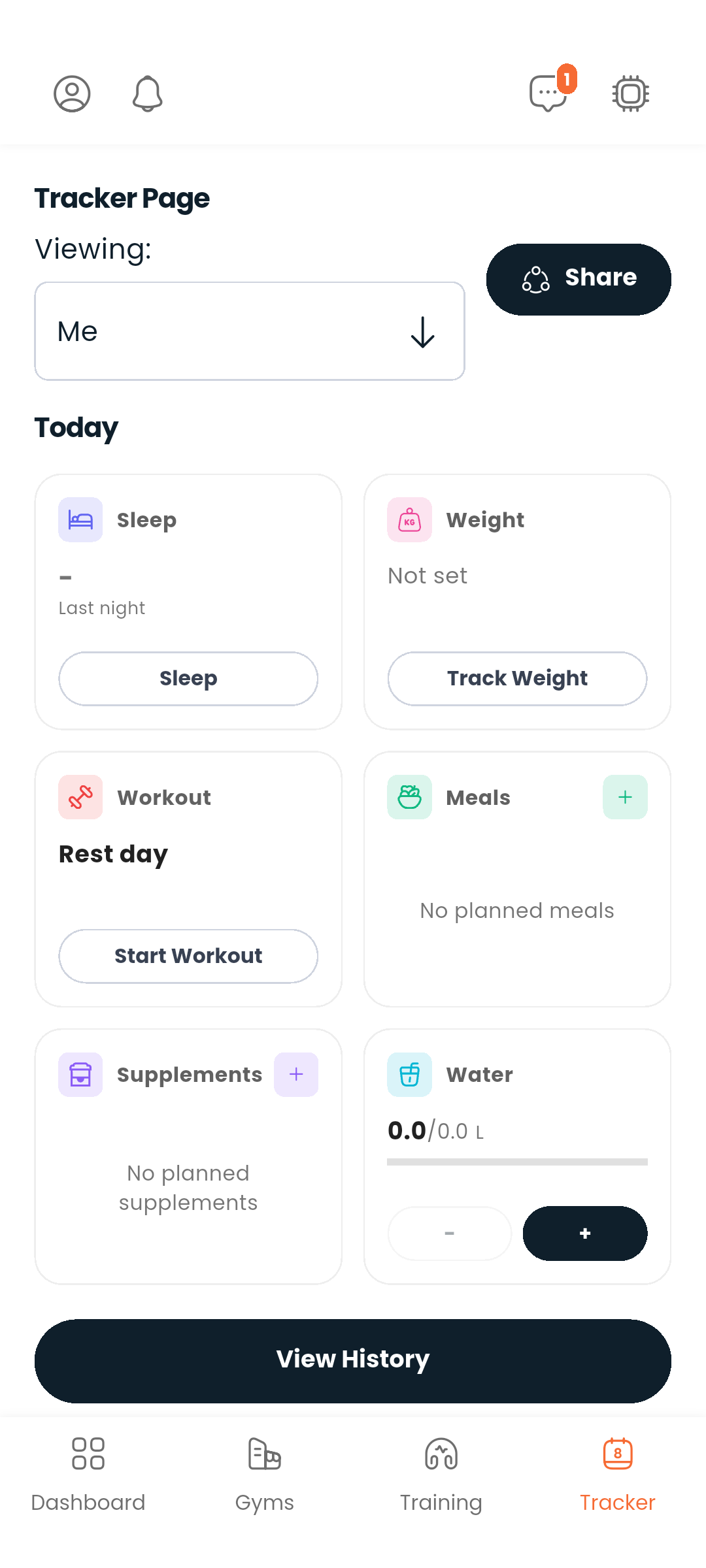
Logging happens on the Tracker, at the top of the tab, in a block called Today: six cards, one per kind of thing you log. Tap a card and fill in the details.
The Dashboard carries a one-line summary of the same day with a Log today link back here. The Dashboard reports; the Tracker records.
Log a training session with:
While logging, you can use the active workout timer to track rest periods or total session time.
The workout card on your tracker shows the running session and its elapsed time. End workout is on that card, so you can close a session without opening it first. A workout you started on an earlier day stops counting and says when it began instead — end it there and its length is recorded.
Log what you ate with:
The sleep card is a pair: Sleep when you turn in, Wake up when you get up, and the card counts the hours between them. Last night's total stays on the card during the day.
Log your body weight in kilograms with optional notes.
Log the number of glasses you drank today. If you have a water target set in your diet plan, your progress toward it is shown — the figure is in litres, because that is what your target is in, while the + glass and − glass buttons log by the glass. The card says so under the figure.
Log which supplements you took:
Under Today, Averages summarises a stretch of days — pick the start and end dates, or reset back to the default range. It is the quickest way to see whether this month looks like last month.
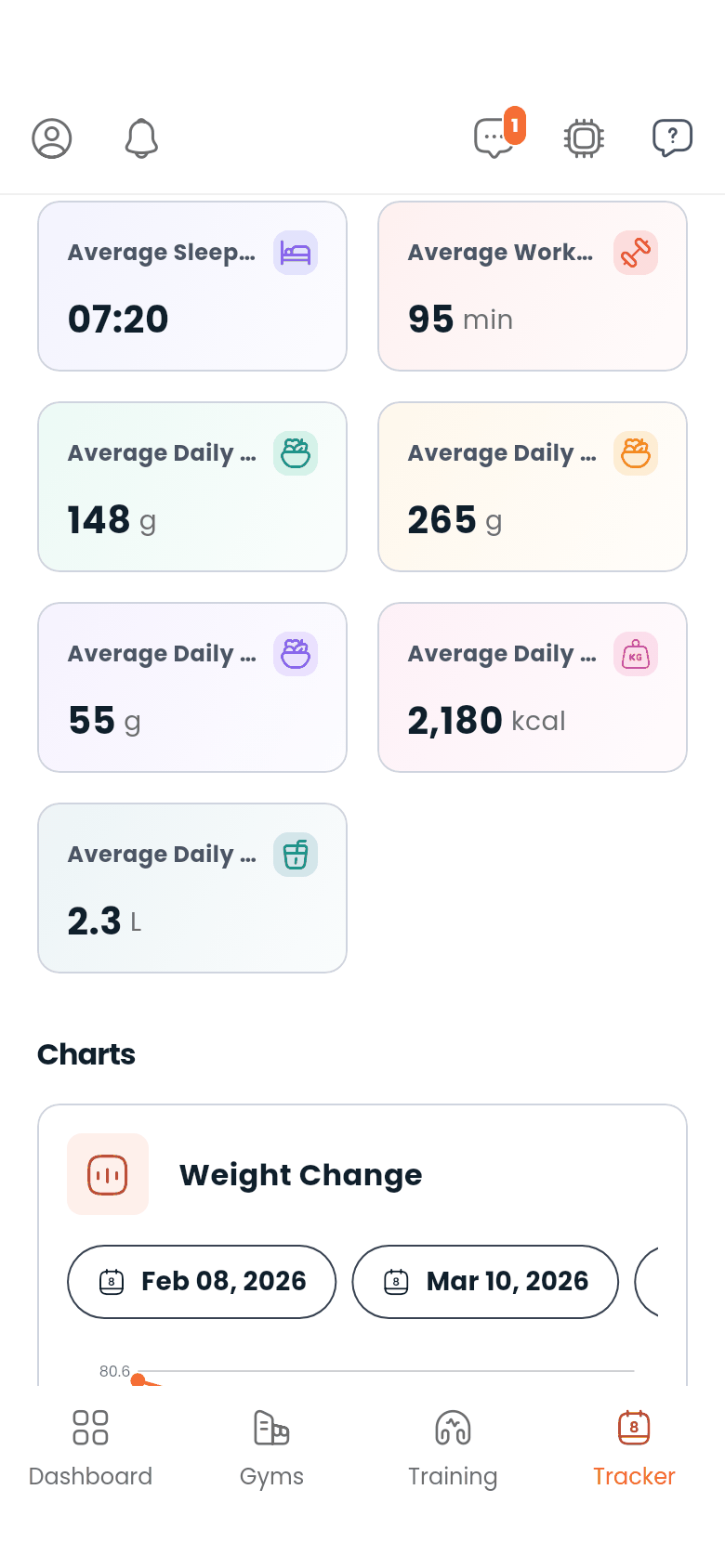
Charts plots the same data over a date range you choose, so a trend shows up as a shape rather than a number.
Records is your best set for each exercise. A switch turns it by rep count, so you can see your best single, your best set of five, and so on, rather than one number per exercise. The list starts short and expands.
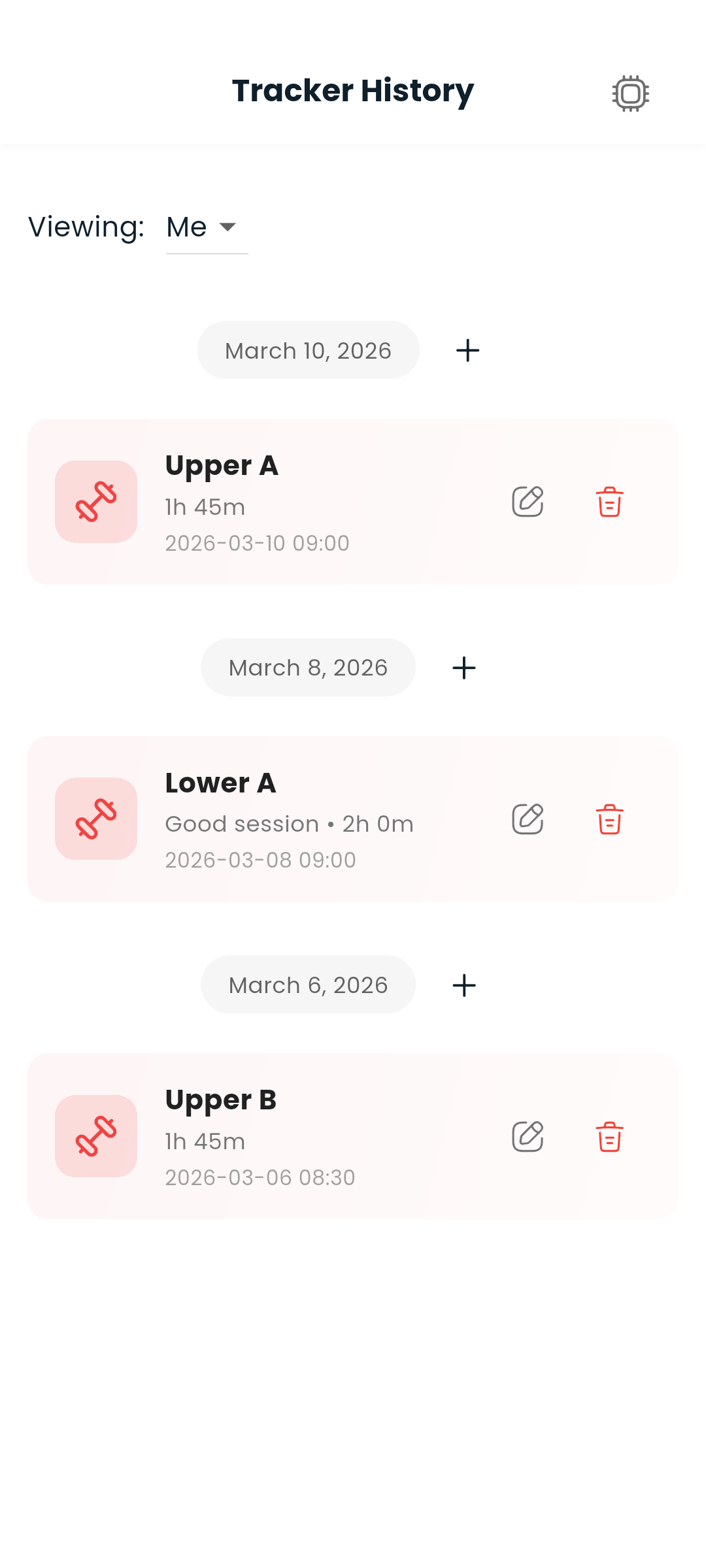
View history on the Tracker opens the full timeline as its own screen, grouped by date. Scroll back and older entries load automatically, always below what you are already reading. Tap any entry to see details or edit it. A supplement entry names the supplement you took; a workout entry says how long it lasted.
The foot of the list tells you how far back it currently reaches, and whether there is more to load — the seven kinds of entry are fetched separately, so the timeline stops wherever the shallowest of them has got to rather than pretending that is everything.
If you haven't logged anything yet, the page tells you so rather than showing an empty screen.
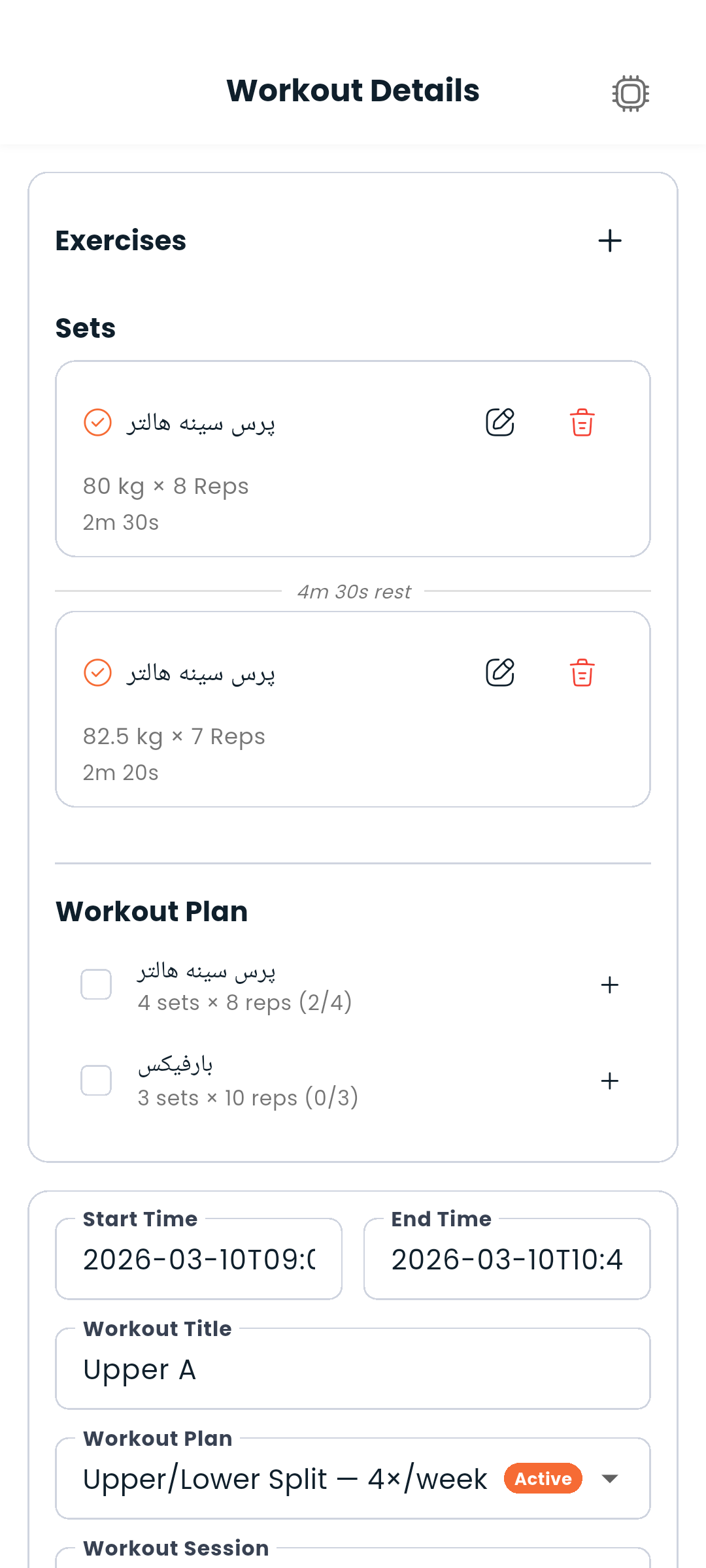
Open a workout to see it built around the exercise you are on right now:
To edit a set's weight or reps, tap the pencil on its row and change the numbers in place. Tap the set itself for the full editor (exercise, notes, times).
The workout's own details — title, notes, start and end time, and the linked plan session — live behind the ⋮ menu in the header, out of the way while you train. Times are shown in a readable, localized format and are set with a date and time picker.
Nobody sees your tracker unless you share it. Sharing is yours to set up, from the picker at the top of the Tracker: choose who may look, and from when until when. You can change a share's dates later, or delete it, and the person loses access straight away.
The same picker is how you read a tracker somebody has shared with you — switch from your own to theirs and the whole tab shows their data instead.
A shared tracker is strictly read-only. You see their history, but nothing can be edited, and that holds all the way in: a workout opened from a shared tracker has no Log set, no End workout and no settings menu, only what they logged.
Next: Build the plans your tracker links to or see what your trainer can do with a share